Instagram Email Scraper: How Agencies Find Public Business Emails and Outreach Prospects
Agencies are no longer using Instagram only for brand awareness. For web design teams, social media agencies, appointment setters, creator partnership managers, recruiters, consultants, and SaaS founders, Instagram is a live prospect database full of active businesses and creators.
The challenge is not finding accounts. The challenge is finding useful prospects, checking public contact signals where available, filtering out bad-fit profiles, and organizing the list into something your team can actually use. That is where an Instagram email scraper workflow becomes useful.
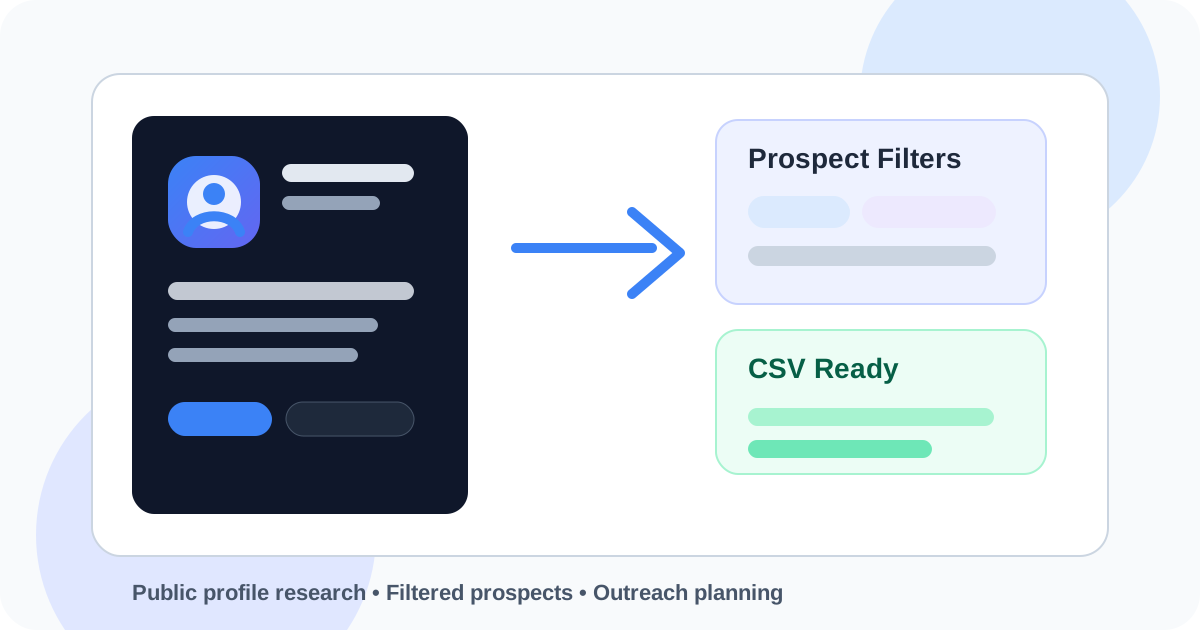
Find Instagram prospects before you send DMs
Use the Instagram Prospect Finder to search worldwide by hashtag, profile, keyword, country, language, follower range, activity signals, and public contact availability.
What People Mean by Instagram Email Scraper
When marketers search for an Instagram email scraper, they are usually looking for a faster way to research public Instagram profiles and find business/contact information where it is publicly displayed. The real goal is not “scraping everything.” The real goal is building a cleaner prospecting workflow.
A good workflow helps you answer practical questions before you launch outreach: Who fits this niche? Which accounts are active? Which profiles show business or creator signals? Which accounts have an external link? Which profiles appear to have public contact information? Which prospects are worth adding to a CSV?
ColdDMCalculator treats this as public profile research and outreach planning. It is built to help users search, filter, preview, export, and forecast campaign ROI. It does not promise private data, guaranteed emails, deliverability, or automatic clients.
Why Instagram Is Useful for Prospect Research
Instagram gives prospectors more context than many static lead databases. A profile can show recent content, positioning, visual quality, niche, audience type, activity level, creator or business signals, and sometimes public contact options. That context can help agencies write more relevant outreach.
For example, a web design agency can find businesses with strong Instagram activity but weak website presence. A social media agency can find brands posting inconsistently. A creator partnership team can filter influencers by niche and follower range. A SaaS founder can research operators in a market before testing a cold DM sequence.
Hashtags, bios, captions, and profile categories make it easier to find a specific audience.
Posting recency helps separate active profiles from accounts that may not be worth contacting.
External links, public email buttons, business bios, and creator indicators can help prioritize outreach.
Profile quality and content patterns can reveal a more natural reason to start a conversation.
The Problem With Manual Instagram Research
The manual workflow is familiar: search a hashtag, open a profile, read the bio, check the link, look for contact options, copy the username, paste it into a spreadsheet, and repeat. That works for a tiny test list. It breaks when you need 100, 500, or 1,500 prospects.
Manual research also creates inconsistent list quality. One person may focus on follower count. Another may focus on bio keywords. Another may only save profiles with visible contact details. A tool-based workflow makes the criteria clearer before anyone starts outreach.
| Area | Manual Research | Prospect Finder Workflow |
|---|---|---|
| Search | Open hashtags and profiles one at a time. | Search by hashtag, keyword, profile, place, URL, or competitor audience. |
| Filtering | Hard to apply the same rules to every account. | Use country, language, follower, activity, bio, and exclusion filters. |
| Email status | Manually check whether public contact info appears. | Separate public email found, email likely, and email not found workflows. |
| Export | Clean up messy spreadsheets later. | Build toward an outreach-ready CSV from the start. |
| Planning | List building and ROI math are disconnected. | Export prospects, then forecast replies, calls, clients, and ROI. |
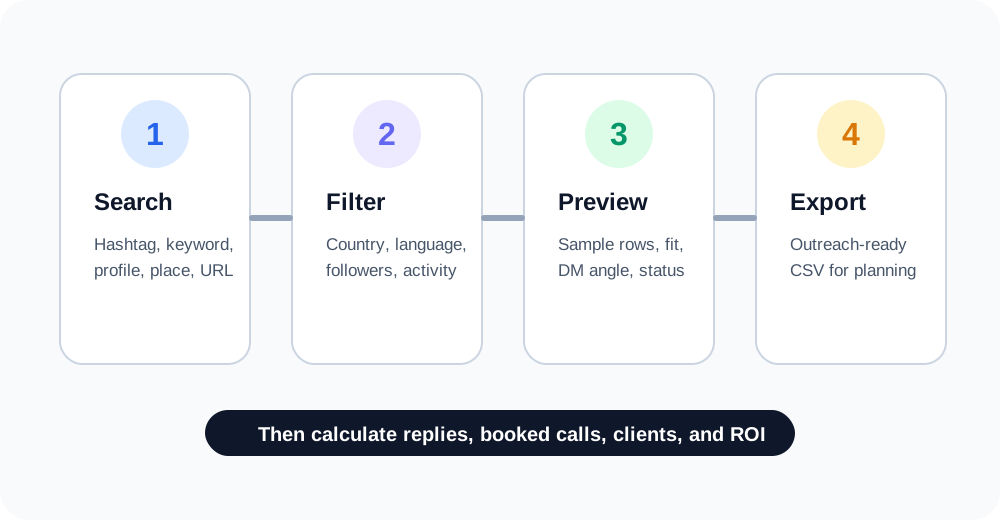
What to Filter Before Exporting a CSV
The strongest Instagram prospect lists are not built from one keyword. They are built from a stack of filters that match your campaign. Start with the audience, then narrow the list based on signal quality.
Search method
Use hashtags for niche discovery, profile or competitor accounts for audience research, keyword search for positioning, places for local campaigns, and post or reel URLs when you want to research engagement around a specific piece of content.
Country and language
ColdDMCalculator is worldwide, so campaigns do not need to be city-first. Country and language filters are usually more important for global creator, ecommerce, agency, SaaS, or consulting audiences. Use city or region only when the offer is local.
Follower range
Follower count changes the campaign. A 900-follower local business, a 12,000-follower coach, and a 150,000-follower creator need different messaging. Follower filters help you keep the offer aligned with the account size.
Public contact and business signals
Some accounts show public contact options or external links. Others do not. A responsible workflow should label contact availability instead of pretending every profile includes an email. Use email status and link status to plan the right channel.
Exclusions
Exclude private profiles, inactive accounts, fan pages, verified accounts if they are not a fit, and bio keywords that indicate the wrong audience. Exclusions can improve list quality as much as positive filters.
Preview before you unlock the list
Filter first, preview sample rows, then choose whether the CSV is worth unlocking. No need to buy a generic list that does not match your campaign.
How Agencies Use Instagram Email Scraper Workflows
Different teams use Instagram prospecting in different ways, but the pattern is similar: define the audience, filter hard, export a clean list, then write a message that references a real profile signal.
- Web design agencies find active brands with weak sites, missing links, or inconsistent conversion paths.
- Social media agencies find businesses that post but lack a clear content system.
- Creator partnership teams find influencers by niche, country, language, and follower range.
- Appointment setters build segmented prospect CSVs for campaign testing.
- SaaS founders research creators, consultants, ecommerce operators, and niche communities before launching outreach.
- Recruiters research public creator or professional profiles when the use case fits platform rules.
CSV Exports Make the Workflow Repeatable
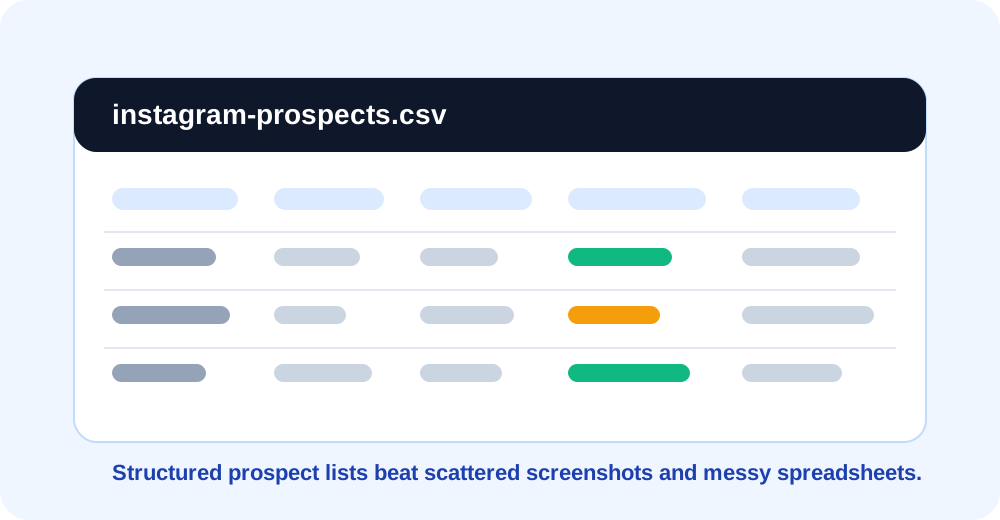
The point of a CSV is not just convenience. It gives your team a repeatable format for campaign planning. You can track username, full name, profile URL, bio, follower range, external link, public email status, phone status, source query, lead fit, and DM angle.
That structure helps prevent random outreach. Instead of sending the same message to every profile, you can segment the list by audience, offer, and signal. A CSV also makes it easier to import prospects into spreadsheets, CRMs, or outreach planning tools.
Example Responsible Outreach Workflow
- Choose one niche. For example: med spas, fitness coaches, ecommerce brands, real estate agents, SaaS founders, creators, or agencies.
- Pick one search method. Start with a hashtag, profile, keyword, or competitor account.
- Apply global filters. Choose country, language, follower range, activity filters, and exclusion rules.
- Preview prospects. Check sample rows, profile context, link status, email status, and DM angle before unlocking.
- Export CSV. Download the list only when it fits your campaign.
- Calculate ROI. Use the Cold DM Calculator to estimate replies, booked calls, clients, profit, and cost per client.
- Write a relevant message. Reference a real public signal from the profile. Keep it short, useful, and respectful.
Instagram Email Scraper vs Generic Lead Lists
Generic lead lists often miss the context that makes social outreach work. They may contain companies that are technically in the right category but have no visible reason to reply to your message. Instagram prospecting gives you richer context: posts, bio, visual quality, external links, content themes, and public account signals.
That does not mean every Instagram prospect is a good fit. It means you can make better decisions before exporting. The best list is usually smaller, more targeted, and easier to personalize.
ColdDMCalculator provides public profile research and outreach planning tools. Users are responsible for following platform terms, privacy rules, anti-spam laws, and applicable outreach regulations. Do not use this workflow for spam, private data collection, bypassing platform protections, or misleading messages.
Frequently Asked Questions
What is an Instagram email scraper?
It is a workflow for researching public Instagram profiles and identifying public business/contact signals where available. The goal is to organize prospect research and outreach planning, not collect private data.
Can I export Instagram prospects as CSV?
Yes. ColdDMCalculator's Instagram Prospect Finder is designed to help users preview prospects and unlock CSV exports for campaign planning.
Does every Instagram profile include an email?
No. Many profiles do not show a public email. Use email status filters so your campaign can separate public email found, email likely, and email not found rows without making unsupported assumptions.
Is this tool worldwide?
Yes. The workflow supports worldwide prospecting with country, language, optional city or region, follower range, niche, keyword, and profile-signal filters.
Can agencies use this for cold outreach?
Yes, as long as they use it responsibly. Agencies should follow platform terms, privacy rules, anti-spam laws, and use relevant, respectful outreach.
How does the calculator fit in?
After creating a prospect list, use the Cold DM Calculator to estimate replies, positive replies, booked calls, clients, revenue, profit, and ROI before sending.
Stop searching Instagram profiles one by one
Build a filtered prospect list, preview sample rows, unlock CSV exports, and calculate campaign ROI before you start outreach.